
Every time you process a payment through a traditional gateway, someone else sits between you and the money. They take a cut, they hold your funds for days, and they can freeze your account if they feel like it. When it comes to bitcoin, most merchants still use these same middlemen-services that promise convenience but strip away the very reason people use cryptocurrency in the first place: sovereignty.
You don't need a third party to accept Bitcoin on your website. You can build a direct line from your customer's wallet to yours, bypassing gateways entirely. This approach requires more upfront technical work than clicking "install plugin" on a hosted service, but it gives you full control over your keys, zero platform fees, and immunity from arbitrary account closures.
The Core Problem with Custodial Gateways
Services like BitPay or PayPal’s crypto checkout are designed for businesses that want to avoid holding cryptocurrency. They convert incoming Bitcoin into fiat currency instantly and deposit it into your bank account. While this solves volatility concerns, it introduces counterparty risk. The gateway holds custody of the funds during the transaction. If the gateway goes bankrupt, gets hacked, or decides your business violates their terms, your revenue is at risk.
In a true peer-to-peer model, there is no intermediary. The customer sends Bitcoin directly to an address controlled by your private keys. The transaction settles on the blockchain, and you own the asset immediately. To make this practical for e-commerce, you need software that automates invoice creation, exchange rate locking, and order confirmation without touching your funds.
Choosing Your Architecture: On-Chain vs. Lightning
Before installing any software, you must decide how customers will pay you. There are two primary methods, and many merchants run both simultaneously.
- On-chain Bitcoin: Transactions are recorded directly on the Bitcoin blockchain. This is the most robust method for large payments because the settlement is final and permanent. However, transactions require network confirmations (usually 10-60 minutes) and involve variable miner fees.
- Lightning Network: A layer-two protocol built on top of Bitcoin. It enables instant, near-zero fee payments. This is ideal for microtransactions or high-volume stores where speed matters. However, it requires managing channel liquidity and keeping a node online 24/7.
For most small to medium-sized websites, a hybrid approach works best. Use on-chain for larger orders and Lightning for smaller, quick purchases.
Setting Up Your Self-Custodial Wallet
The foundation of a no-middleman setup is your wallet. You must generate and secure your own private keys. Never share these keys with any service provider.
If you are using a desktop wallet like Electrum or Sparrow, generate a seed phrase and store it offline. For a more professional setup, consider using a hardware wallet like Ledger or Trezor. These devices keep your private keys isolated from your internet-connected computer. When integrating with a payment processor later, you will only provide your extended public key (xpub), which allows the software to generate receiving addresses but cannot spend your funds.
Deploying BTCPay Server
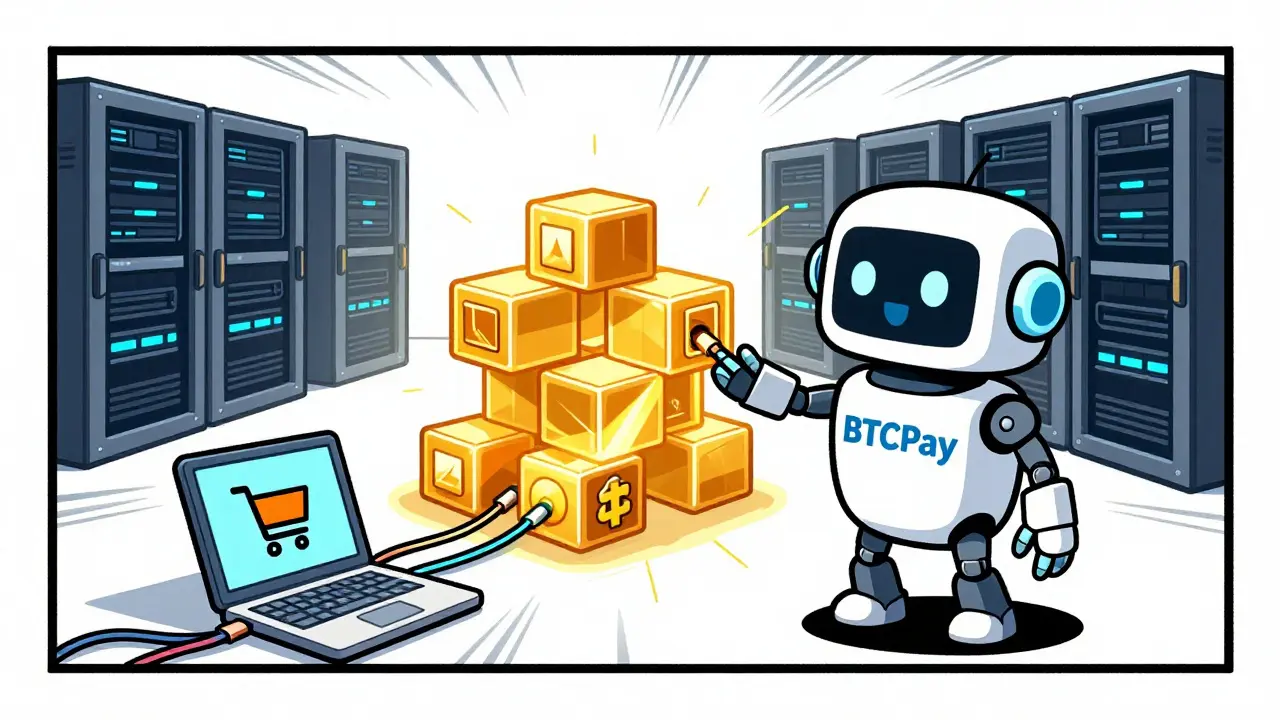
BTCPay Server is an open-source, self-hosted payment processor that connects your website to the Bitcoin network. It is the industry standard for non-custodial Bitcoin commerce. Unlike commercial gateways, BTCPay does not charge processing fees. It runs on your own server, meaning you have complete control over the data and the flow of funds.
To deploy BTCPay, you need a virtual private server (VPS). Providers like DigitalOcean, Linode, or Hetzner offer suitable instances. You can install BTCPay using Docker, which simplifies the process significantly. Alternatively, user-friendly platforms like Start9 or Umbrel allow you to set up a personal Bitcoin server with BTCPay pre-installed via a graphical interface.
- Provision a VPS: Choose a server with at least 4GB of RAM and 80GB of storage. Ubuntu Linux is the recommended operating system.
- Install Docker: Run the official Docker installation script on your server.
- Pull BTCPay Images: Use the BTCPay GitHub repository to pull the necessary Docker images.
- Configure the Stack: Set up environment variables for your domain name and email notifications.
- Access the Dashboard: Navigate to your domain to access the BTCPay admin panel and create your first store.
Connecting a Bitcoin Node
BTCPay needs to communicate with the Bitcoin network to verify transactions. You have two options here:
Option 1: Run Your Own Full Node. This is the most sovereign approach. You download the entire Bitcoin blockchain to your server. It takes time and significant storage space (over 500GB), but it ensures you are validating transactions yourself rather than trusting a third-party explorer.
Option 2: Use a Third-Party Node Provider. Services like Voltage or Blockchain.info offer API access to Bitcoin nodes. This reduces the computational load on your server and speeds up initial synchronization. While slightly less decentralized, it is a practical compromise for merchants who lack powerful hardware.
Once connected, BTCPay will monitor the blockchain for incoming payments to your store's addresses.
Integrating with Your Website
Now that your backend is running, you need to connect it to your storefront. BTCPay supports major e-commerce platforms out of the box.
| Platform | Integration Method | Complexity |
|---|---|---|
| WooCommerce | Official Plugin | Low |
| Shopify | Custom App / Checkout Extension | Medium |
| Magento | Community Plugin | Medium |
| Custom Site | REST API / JavaScript Widget | High |
For WooCommerce users, simply install the BTCPay plugin, enter your store URL and API key, and enable the payment method. For custom sites, BTCPay provides a JavaScript widget that can be embedded directly into your checkout page. This widget generates a unique QR code and payment address for each order, ensuring accurate reconciliation.

Adding Lightning Network Support
If you want to offer instant payments, integrate the Lightning Network. BTCPay supports Lightning natively. You can run your own Lightning node alongside your Bitcoin node, or use a managed Lightning service like Voltage.
When setting up Lightning, you must manage inbound liquidity. Customers need to send funds to your channels, so you must open channels with other nodes to receive payments. BTCPay helps automate some of this by suggesting optimal channel partners. Once configured, Lightning invoices appear automatically at checkout alongside on-chain options.
Accounting and Tax Compliance
Achieving technical sovereignty does not exempt you from legal obligations. In many jurisdictions, including the US and UK, receiving Bitcoin is a taxable event. You must record the fair market value of the Bitcoin at the time of receipt in your local currency.
BTCPay exports transaction data in CSV format, which can be imported into accounting software like QuickBooks or Xero. Some advanced setups use middleware to push data directly to accounting APIs. Keep detailed records of every transaction hash, amount, and timestamp to simplify tax filing.
Why Go the No-Middleman Route?
Building this stack is harder than signing up for a credit card processor. You are responsible for server maintenance, security updates, and customer support regarding failed transactions. However, the benefits are substantial.
- Zero Platform Fees: You only pay network miner fees, which are often lower than credit card interchange rates.
- Censorship Resistance: No company can shut down your ability to accept payments based on political or corporate pressure.
- Global Access: Accept payments from anywhere in the world without dealing with cross-border banking restrictions.
- Privacy: You do not need to collect sensitive customer financial data like credit card numbers.
For solo founders and indie hackers, tools like TxNod offer a middle ground. By connecting a hardware wallet via xpub, you retain non-custodial control while offloading some operational complexity, allowing you to ship a working checkout faster without surrendering sovereignty.
Is BTCPay Server free to use?
Yes, BTCPay Server is open-source software licensed under MIT. There are no licensing fees or transaction charges from the software itself. You only pay for your own hosting infrastructure and Bitcoin network fees.
Do I need to run a full Bitcoin node to use BTCPay?
Not necessarily. While running a full node is the most decentralized option, you can connect BTCPay to third-party node providers like Voltage or Electrum servers. This reduces hardware requirements but introduces a slight trust assumption.
How do I handle Bitcoin price volatility?
BTCPay locks the exchange rate at the moment the invoice is created. If the customer pays within the invoice timeout period, you receive the equivalent value in Bitcoin regardless of market fluctuations during that window. For long-term holding, you bear the volatility risk; for immediate conversion, you would need to manually sell on an exchange.
Can I accept stablecoins without a middleman?
BTCPay primarily focuses on Bitcoin. To accept stablecoins like USDT or USDC directly without a custodian, you would need additional integrations or different software stacks that support Ethereum or TRON networks, as stablecoins reside on those blockchains.
What happens if my server goes down?
If your BTCPay instance is offline, you cannot generate new invoices. Existing invoices remain valid on the blockchain, but your site won't know when they are paid. It is critical to use reliable hosting and set up monitoring alerts to ensure 24/7 uptime for seamless customer experience.

Craig Swanson
May 26, 2026 AT 06:49Listen up, because I am only going to say this once. You think running your own node is hard? Try explaining to your accountant why you have a 500GB blockchain on a server in your closet while the IRS audits your tax returns for 'unreported digital assets.' The sovereignty argument is cute until you realize that self-custody means you are also the customer support team, the security firm, and the IT department all rolled into one stressed-out individual.
Bill Gunn
May 27, 2026 AT 07:19Oh wow, Craig! 😤 That is such a heavy way to look at it! 🌪️ But honestly, isn't there something beautiful about taking that leap of faith? 🦅 When you finally get that first transaction through without BitPay taking their cut, it feels like you just hacked the matrix yourself! 🕶️✨ I know it sounds daunting, but imagine the pride of saying 'I built this!' 🛠️💪 It is not just about the money; it is about the journey of learning how the network actually works under the hood! ⚙️🔧
Dana Rapoport
May 28, 2026 AT 05:19The philosophical implication of removing the middleman is profound. We are essentially rejecting the social contract of trust in favor of cryptographic verification. It is quiet, almost meditative, when you consider that no human being needs to approve your commerce anymore. Just math. Pure, unadulterated logic settling disputes without bias or emotion.
Hadleigh Edwards
May 29, 2026 AT 21:33I have been thinking about this for a very long time and I must say that the idea of having complete control over your financial destiny is something that really resonates with me on a deep level because we live in a world where so many things are taken out of our hands and placed into the care of institutions that do not always have our best interests at heart and so when you consider the fact that Bitcoin allows you to step outside of that system entirely it becomes clear that the initial technical hurdles are merely the price of admission to true freedom and autonomy in the digital age which is something worth striving for even if it means staying up late configuring docker containers.
mark valmart
May 31, 2026 AT 01:01i mean its cool but my server keeps crashing lol
Christina Pearce
June 1, 2026 AT 16:20I appreciate the detailed breakdown here, though I wonder if the barrier to entry might be too high for small businesses who are already struggling with basic e-commerce logistics. Is there perhaps a middle ground that doesn't require full node synchronization? I would love to hear from someone who has tried the hybrid approach mentioned in the article.
Barclay Chantel
June 3, 2026 AT 02:08Typical American optimism. You assume everyone has the disposable income to run a VPS and the technical literacy to manage Docker containers. In reality, most people are barely keeping their heads above water with fiat inflation, and now you expect them to become sysadmins to save two percent on processing fees? It is elitist nonsense disguised as empowerment. The masses will stick to PayPal because they value convenience over your precious 'sovereignty,' which is largely a fantasy for those who cannot afford enterprise-grade security solutions.
trisya hazriyana
June 3, 2026 AT 14:26lol yeah sure 'sovereignty' is great until your liquidity management fails and you cant receive payments because your lightning channels are closed. then you cry about decentralization while begging for help on reddit. classic.
Debbie Lewis
June 4, 2026 AT 14:30I just watch these threads go by. Some people really get passionate about avoiding fees. I guess if you are moving millions it makes sense. For a small shop, it seems like a lot of work for pennies.
Edith Mair
June 5, 2026 AT 19:04You failed to mention the specific hardware requirements for running a reliable Lightning node alongside BTCPay. Most guides gloss over the RAM usage spikes during reorgs. What is the minimum spec you recommend for a stable production environment?
Sam Dashti
June 7, 2026 AT 14:38Man, I remember when setting up a payment gateway was just clicking a button and hoping for the best. Now we are talking about blockchain nodes and private keys like we are building nuclear reactors! It is wild how the landscape has changed. I feel like a caveman trying to use a smartphone every time I read this stuff, but hey, progress is progress, right? Maybe I should just stick to Venmo and call it a day!
Joe Clements
June 9, 2026 AT 01:37Hey everyone, just wanted to say thanks for sharing this info. It looks complicated but also kind of exciting. If anyone has tips for beginners, I would love to hear them. No pressure though, just curious!
Crystal Davis
June 10, 2026 AT 14:06This entire premise is flawed because you are ignoring the regulatory tail risk. Even if you technically bypass the middleman, the legal framework in the US treats Bitcoin transactions as taxable events requiring immediate reporting. By self-hosting, you are creating an audit trail that is harder to obfuscate than using a third-party processor that handles some compliance legwork. You are not gaining freedom; you are gaining liability. Smart people use custodial services to offload this risk, not avoid it.
Joshua Alcover
June 12, 2026 AT 13:52It is imperative that we recognize the strategic necessity of maintaining sovereign financial infrastructure independent of hostile foreign entities and compromised domestic banking cartels. The implementation of non-custodial protocols is not merely a technical preference but a patriotic duty to preserve economic autonomy against the encroaching tyranny of centralized surveillance capitalism. One must deploy robust cryptographic safeguards to ensure that the nation's commercial vitality remains unencumbered by the whims of bureaucratic overlords.
Diana Morris
June 14, 2026 AT 03:20stop whining about taxes and start coding. if you cant handle the responsibility dont play in the big leagues. easy mode is for losers.
Dianne Wright
June 15, 2026 AT 19:09i spent three days trying to get my xpub to sync properly and now i feel like an idiot because i missed a comma in the config file. why does nobody tell you how painful the debugging process is before you dive in. i just want to sell my t-shirts not become a linux guru.
Eric Grosso
June 15, 2026 AT 23:36did u try turning it off and on again? jk but seriously the docs r pretty good if u read em carefully. im still figuring it out myself tho.
Rosie Morris
June 17, 2026 AT 16:24me too!! i thought it would be easier. maybe ill just give up and use paypal. its less stress even if they take more money.
lorna erni
June 19, 2026 AT 10:02Hey guys! Let's keep the conversation positive! I know it's tough, but we're all in this together! Who else is excited about the future of decentralized commerce? Let's cheer each other on! 💪🎉
stalin brian
June 19, 2026 AT 16:15bro i respect the hustle man. its not easy but its worth it. i got mine running on a raspberry pi cluster now. feels good to be free. keep grinding.
kamal ifrani
June 19, 2026 AT 18:24This is absolute garbage advice for anyone who values their sanity. You are preaching anarchy while ignoring the practical realities of business operations. My client lost thousands because their 'sovereign' node went offline during a peak sales hour. There is no glory in broken checkouts. Stick to Stripe unless you enjoy crying over logs.
saradee dee
June 20, 2026 AT 19:13Oh my goodness, the tension in this thread is palpable! On one hand, we have the dreamers seeking ultimate freedom, and on the other, the pragmatists worried about downtime. It is quite the drama! But truly, isn't it wonderful that we have choices? I suppose we must find balance in our technological lives.
Miss Masquer
June 22, 2026 AT 07:41I have been exploring this space for years, and what strikes me most is the cultural shift required to embrace self-sovereignty. It is not just about installing software; it is about adopting a mindset of personal responsibility for one's financial interactions. In Canada, we see similar trends with privacy-focused technologies, and it is encouraging to witness this global movement towards greater autonomy. The long-winded nature of these discussions often obscures the simple truth: knowledge is power, and understanding how your money moves is empowering.